Quick take: Xiaomi’s official Discover article is a useful reminder that a good TV experience is a system. Panel performance matters, but software, input, connectivity, and the way you control the set shape how enjoyable it is after the first week.
Start with the picture, then look beyond it
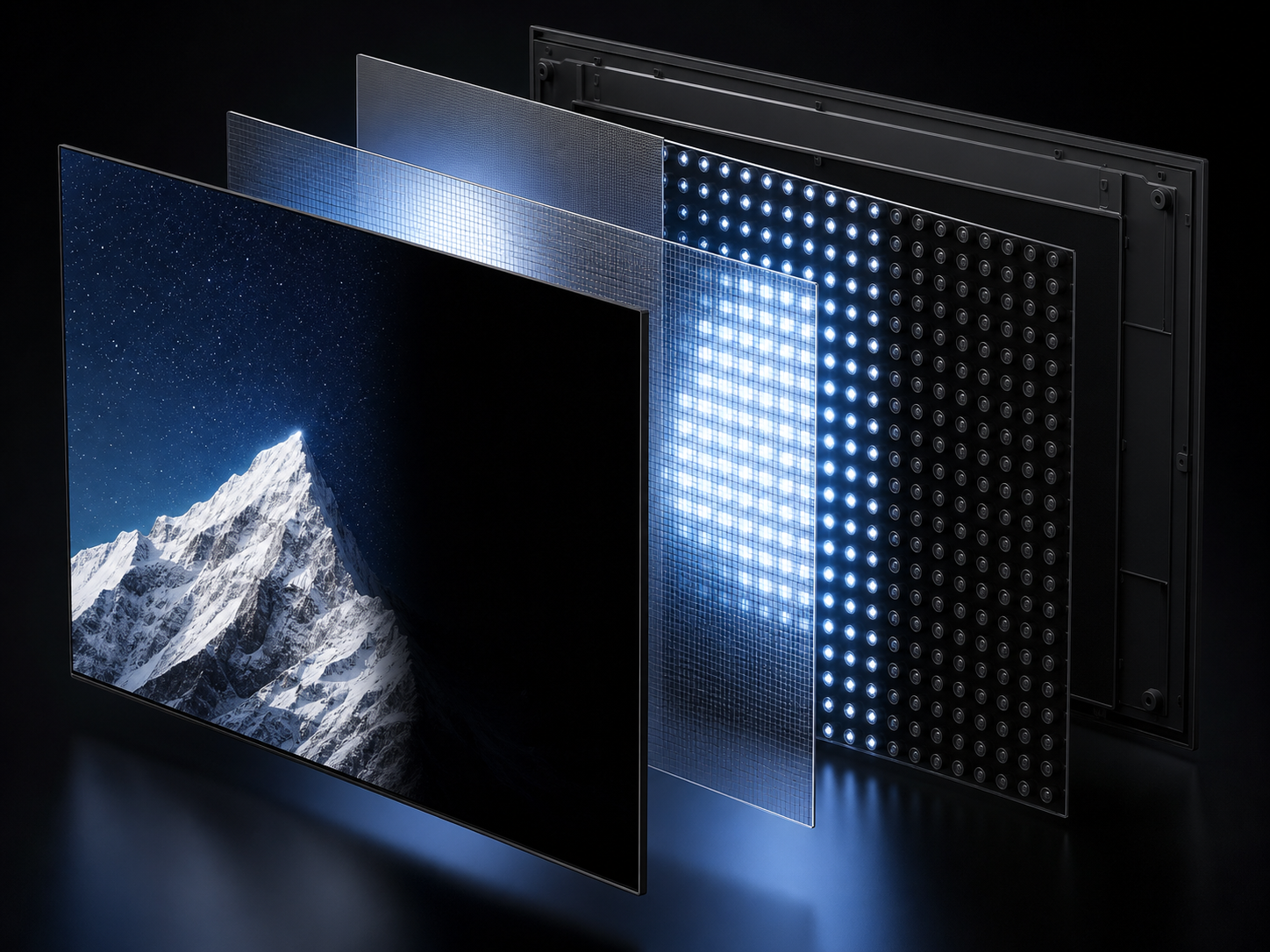
A television can look impressive in a showroom and still feel wrong at home. Check how the display handles dark scenes, bright highlights, subtitles, and fast movement. Local dimming can improve contrast by letting different areas of the backlight respond independently, but the result depends on the panel, processing, and room lighting.
That is why a practical TV comparison should ask more than “How bright is it?” Think about where you sit, how much daylight the room gets, and whether you watch films, sport, games, or a mixture of all three. A balanced screen that behaves predictably is often more satisfying than a specification that only looks good on a product page.
The software is part of the TV
Smart TV software decides how quickly you can move from the home screen to a show, search for a title, change an input, or open a streaming app. Before buying, check the operating system, the apps available in your market, update support, and how much storage the TV has for apps and downloads.
Also check the small friction points: how many steps it takes to reach picture settings, whether recommendations can be managed, and whether the interface stays responsive after the TV has been in use for a while. These details are easy to overlook but become part of every viewing session.
Control should feel natural
A smart TV is only as comfortable as its controls. A remote with clear navigation is essential, while phone-based control can be useful when you need to type a long search, enter a password, or move through menus more quickly. Keep the TV and phone on the same Wi-Fi network when the app requires it, and allow Local Network access on iPhone so the devices can discover one another.
For a simpler setup, TV Remote Control: Xio brings remote buttons, touchpad navigation, keyboard input, app shortcuts, and media casting together on iPhone and iPad for compatible smart TVs.
A five-minute buying checklist
- Match the screen size and viewing distance to your room.
- Check real-world contrast, motion, and viewing-angle behavior—not just peak brightness.
- Confirm the apps, operating system, and update policy available in your market.
- Make sure the TV has the ports and wireless connections your devices need.
- Choose a control method that makes searching and setup easy.
This is an original editorial guide inspired by Xiaomi’s official Discover article, “Xiaomi Discover article 4828”. It is not a reproduction of Xiaomi’s publication and does not imply a relationship with Xiaomi.
Make TV control easier from iPhone.
Explore TV Remote Control: Xio for compatible smart TVs.
See TV Remote Control: XioMore TV guides